Bought a new iPhone charger and wondering if it’s genuine? You’re not alone. Fake Apple adapters are everywhere, and many look almost identical to the real thing. Knowing how to check if your iPhone adapter is original protects your phone, your battery and, most importantly, your safety.
In this guide, you’ll learn 7 simple checks to tell a genuine Apple adapter from a counterfeit, plus what to do if you’ve already bought a fake.
Why Fake iPhone Adapters Are Dangerous
Counterfeit adapters often skip essential safety components such as proper insulation, fuses and voltage regulation. The risks include:
- Damaged or rapidly degrading iPhone battery
- Overheating, melting or even fire
- Electric shock
- Very slow or unstable charging
- “Accessory not supported” warnings on your iPhone
Apple recommends using certified accessories for safe charging. You can read Apple’s official guidance on the Apple Support website.
1. Check the Model Number
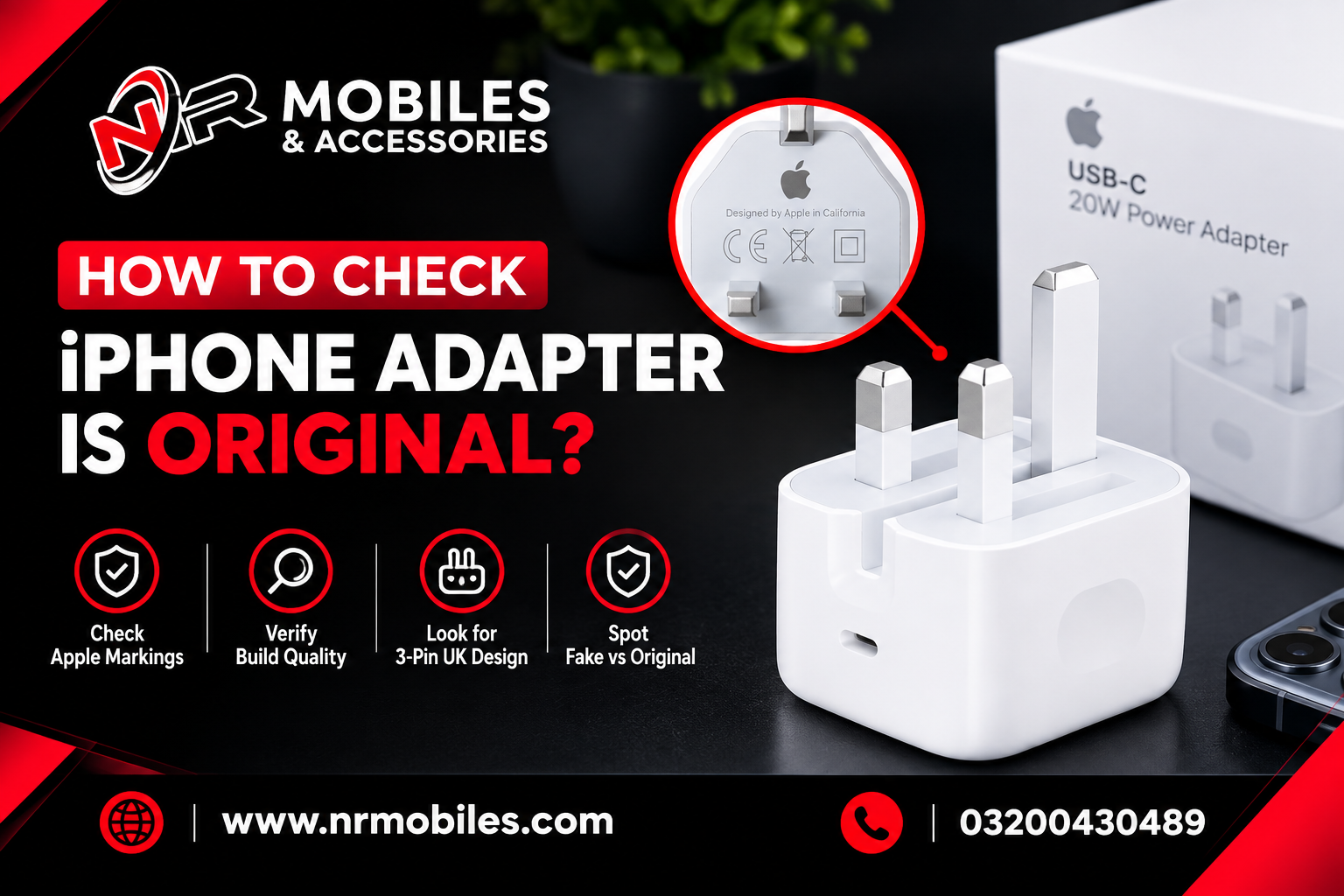
Every genuine Apple adapter has a model number printed in tiny, sharp text on the body. For example, the Apple 20W USB-C Power Adapter carries model numbers like A2305 or A2347, depending on region.
Fake adapters often have blurry, uneven or oversized text, and sometimes spelling mistakes or model numbers that don’t exist.
2. Inspect the Print and Logo Quality
Apple’s printing is precise. On a genuine adapter:
- Text is crisp, evenly spaced and perfectly aligned
- There are no smudges, faded areas or rough edges
- Safety and regulatory marks are present and clearly printed
To learn more about what safety certifications mean, visit UL Solutions.
3. Compare the Weight
A genuine adapter contains a quality transformer and complete internal components, so it feels noticeably solid. Counterfeits usually feel lighter because they use cheaper, fewer parts. If you own a known original, hold both and compare.
4. Examine the Body, Pins and Finish
Look closely at the physical build:
- Plastic: smooth, uniform and sturdy
- Seams: tight and even, with no gaps
- Pins: straight, firm and properly aligned
- USB port: clean and snug, never loose or crooked
A rough finish, wobbly pins or a creaky shell are big warning signs.
5. Check the Packaging
Genuine packaging has sharp printing, clear barcodes and a proper seal. Be cautious if the adapter arrives loose, in a plain bag, or in a box with poor print quality.
6. Test Charging Speed and Heat
Plug it in and observe:
- Genuine: steady, fast charging with only mild warmth
- Fake: slow charging, repeated stopping and starting, or excessive heat
If the adapter becomes too hot to touch, unplug it immediately.
7. Consider the Price and the Seller
A brand-new “original” adapter selling far below the official price is a red flag. To stay safe:
- Buy from Apple, authorized resellers or trusted, registered stores
- Keep the receipt and warranty
- If buying a third-party charger, look for MFi (Made for iPhone) certification. You can learn about it through Apple’s MFi Program
Original vs Fake Adapter: Quick Comparison
| Feature | Original | Fake |
|---|
| Weight | Solid and heavy | Light |
| Printing | Sharp and clear | Blurry, spelling errors |
| Body | Smooth and sturdy | Rough, loose seams |
| Charging | Fast and stable | Slow, inconsistent |
| Heat | Mild warmth | Overheats |
| Price | Fair | Suspiciously cheap |
What to Do If You Have a Fake Adapter
- Stop using it immediately.
- Do not throw it in regular household trash; dispose of it through an e-waste collection point.
- Replace it with a genuine Apple or MFi-certified adapter.
- Report the seller or platform if you bought it online.
Frequently Asked Questions
Can a fake adapter damage my iPhone?
Yes. Counterfeit adapters can deliver unstable voltage, which may damage the battery and charging port.
Can I use a non-Apple adapter with my iPhone?
Yes, as long as it is from a reputable brand, meets safety standards and is preferably MFi certified.
Where should I buy an original iPhone adapter?
From Apple, authorized resellers or trusted registered stores. Always keep the receipt and warranty.
Is a cheap adapter always fake?
Not always, but a price far below Apple’s official pricing for an “original” product is a strong warning sign.
Conclusion
Now you know how to check if your iPhone adapter is original. Check the model number, print quality, weight, build, packaging, charging behavior and seller. A few minutes of checking can save your iPhone and keep you safe. Never risk your device or your home to save a few dollars.
Looking for genuine, safe charging gear? Browse our iPhone Accessories collection or read our iPhone Charger Buying Guide.